Proactive Chat
Don’t wait for the visitor to find your chat button. Trigger a friendly invitation when they hit a high-intent page, linger on pricing, scroll to the FAQ, or arrive from a paid campaign — and turn passive traffic into conversations.
Trigger
URL, time on page, scroll depth, referrer, or custom JS — mix and match.
Invite
Branded popup or quiet badge — pick the tone that fits the page.
Convert
A single click opens the chat — agent or AI is already typing back.
Trigger types
Combine any of the rules below into a single invite, or run different invites on different pages. The widget evaluates rules in the browser, so there’s no server round-trip and the user experience is instant.
URL match
Fire on specific paths or wildcards — e.g. only on /pricing or anything under /checkout/*.
Time on page
Wait until the visitor has been reading for N seconds before saying hello — long enough that they’re engaged, short enough to catch them.
Scroll depth
Trigger when the visitor scrolls past 50% of the page — a strong proxy for “they actually read the post.”
Referrer
Tailor the message based on whether the visitor came from organic search, a paid campaign, or a partner site.
Returning visitor
Greet first-time visitors differently from returning ones — e.g. only invite repeat readers who haven’t signed up.
Custom JavaScript
Hook into your own analytics or cart state — call MyLiveChat.Invite() on any signal.
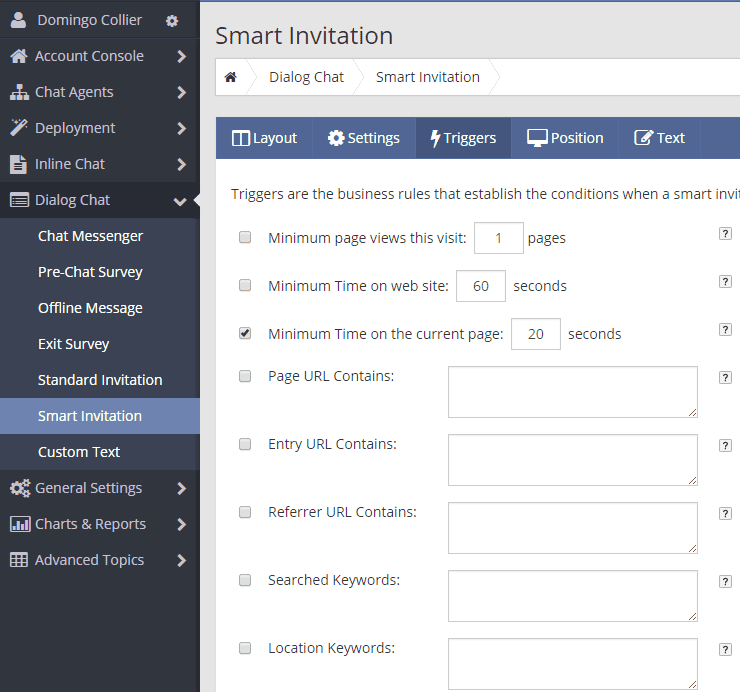 Trigger rules editor — mix URL, time, scroll, referrer, and custom JS.
Templates
Pick a template, change the copy, and ship. The gallery covers cart abandonment, sales objections, after-hours coverage, support, onboarding, and more — each one mobile-tested and translation-ready.
- 20+ pre-designed templates
- Light + dark themes
- Per-language copy support
- One-click A/B variants
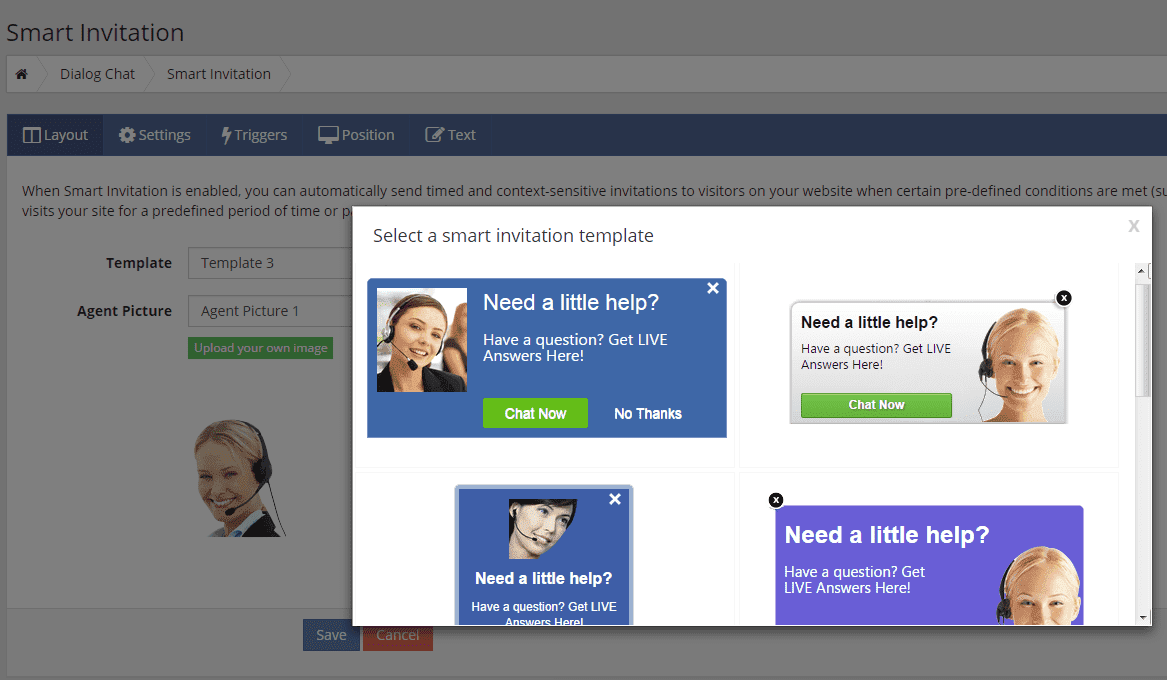 Template gallery in the dashboard — preview before applying.
Customization
Choose where the invite appears, what it says, how long it stays, and who it’s from — all without touching CSS.
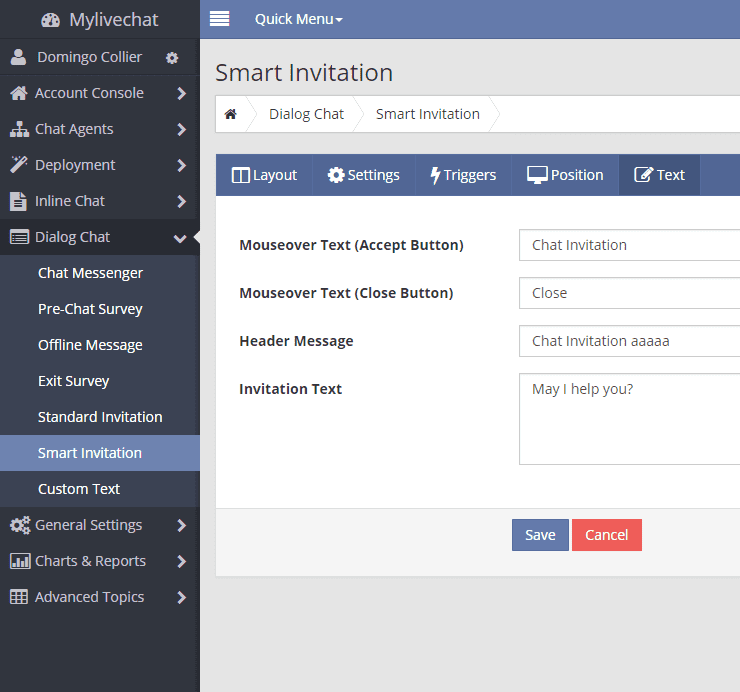 Copy & tone
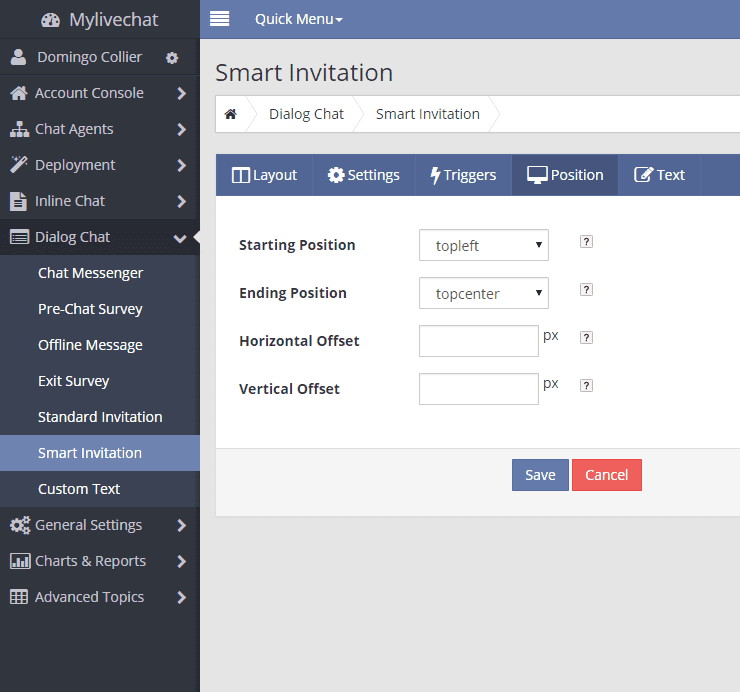 Position & timing
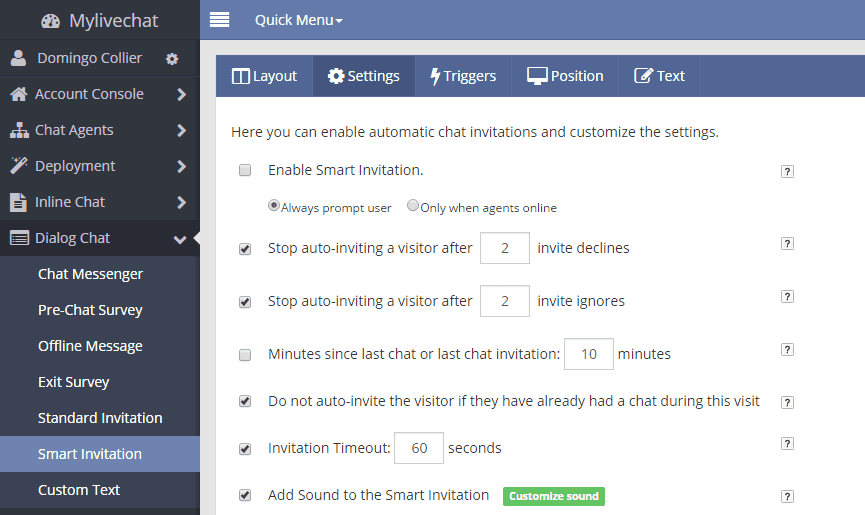 Limits & rules
Free to try
Free 1-agent forever. No credit card. Live in two minutes.